In our hyper-connected world, keeping our devices charged is as essential as having a morning coffee. From smartphones to tablets, smartwatches to laptops, nearly every gadget we rely on needs a reliable power source. That’s where the humble yet crucial Wall Charger Adapter comes in. But with so many options, acronyms, and claims, choosing the right one can feel like navigating a maze. Don’t worry, you’re not alone! At SYFCA.com, we’re here to demystify the complexities, helping you make informed decisions to power your electronics safely and effectively.
What Exactly is a Wall Charger Adapter?
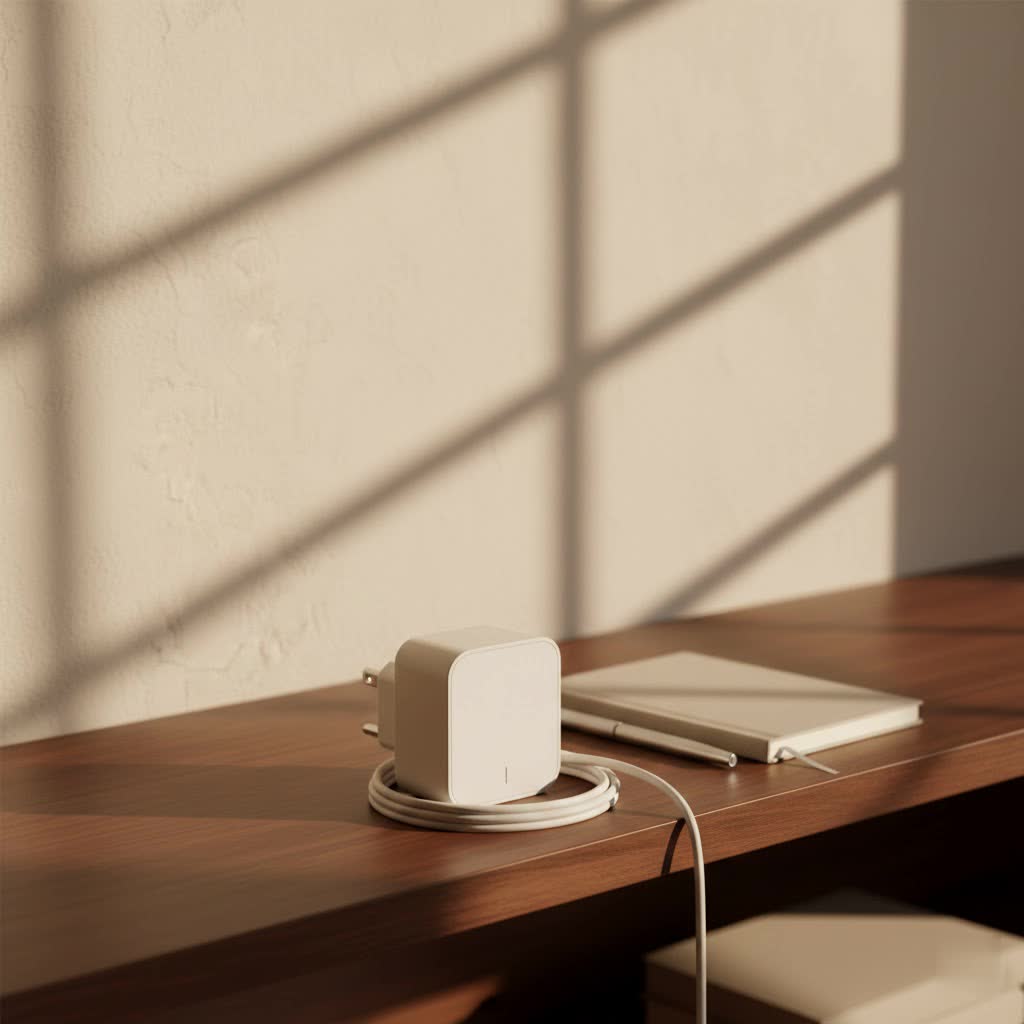
Let’s clear up some common confusion right off the bat. When most of us talk about a “charger,” we’re usually pointing to that small block that plugs into the wall. Technically speaking, this brick is a “power adapter” or “AC adapter”. Its job is to convert the high-voltage alternating current (AC) from your wall socket into the lower-voltage direct current (DC) that your electronic devices can safely use. The actual “charger” circuitry that manages the battery’s charging process is typically built right into your phone, tablet, or laptop itself. However, in everyday conversation, calling the wall unit a “wall charger adapter” or “charging brick” is perfectly acceptable and widely understood.
The Diverse World of Wall Charger Adapters: Types and Technologies
The market for wall charger adapters is brimming with innovation, offering different port types and advanced charging technologies designed to meet varying needs.
USB-A, USB-C, and Multi-Port Wonders
When you look at a wall charger adapter, the most immediate difference you’ll notice is the type and number of ports it offers:
- USB-A Adapters: These are the traditional rectangular ports we’ve known for years. While still common for older accessories and some basic charging, they typically provide lower power output, often around 2.5 to 12 watts. They’re dependable but not designed for today’s rapid charging demands.
- USB-C Adapters: The new universal standard! USB-C is reversible, meaning there’s no “wrong” way to plug it in. More importantly, it supports significantly higher power output, ranging from 100 watts up to a staggering 240 watts, enabling much faster charging and even data transfer for compatible devices. Many modern smartphones, tablets, and laptops now exclusively use USB-C.
- Multi-Port Adapters: Do you have a phone, tablet, and smartwatch all clamoring for power? Multi-port wall charger adapters are a game-changer. These units come with multiple USB-A and/or USB-C ports, allowing you to charge several devices simultaneously from a single wall outlet, reducing clutter and the need for multiple bricks.
|
Our Picks for the Best Wall Charger in 2026
As an Amazon Associate I earn from qualifying purchases.
|
||
| Num | Product | Action |
|---|---|---|
| 1 | USB Wall Charger, LUOATIP 3-Pack 2.1A 5V Dual Port Cube Power Adapter Plug Block Charging Box Brick for iPhone 14 13 12 11 Pro Max SE XS XR X 8 7 6 6S Plus, Galaxy, LG, Moto, Android Phones |

|
| 2 | JcBlaon Outlet Extender Surge Protector - 6 Outlet Splitter with 4 USB Ports (2 USB C), Multiple Plug Expander Wall Charger, 3 Sided Multi Plug Wall Adapter Power Strip for Home Office Kitchen Travel |
|
| 3 | 2 Pack USB C Charger Block, Dual Port Type C Wall Charger Fast Charging 20W Power Adapter Cube for iPhone 14/14 Pro/14 Pro Max/14 Plus/13/12/11, XS/XR/X, iPad, Samsung, More |
|
| 4 | 2Pack USB C Fast Charger Block, 60W 5-Port USB C Wall Charger 30W Type C Charging Block, 2USB C+3USB A PPS/PD 3.0 Multiport Charging Cube for iPhone 17 16 15 14 Pro Max,for Galaxy S25 S24 Ultra, i Pad |
|
| 5 | Surge Protector Outlet Extender - with Rotating Plug, 6 AC Multi Plug Outlet with 4 USB Ports (2 USB C), 1800J Wall Charger, 3-Sided Power Strip with Spaced Outlet Splitter for Home, Office, Travel |
|
| 6 | iPhone Fast Charger 3+3Pack 20W USB C Wall Charger with 6FT Fast Charging Cable Compatible with iPhone 14/13/12/11/Pro/Pro Max |
|
| 7 | LCGENS USB C Wall Charger Block 20W, 2-Pack Dual Port PD Power Delivery Fast Type C Charging Block Plug Compatible with iPhone 11/12/13/14/15/16/17 Pro Max, XS/XR/X, Ipad Pro, Samsung Galaxy |
|
| 8 | 128W USB C Wall Charger,GaN III 3-Port Fast Charging Station,PD QC Foldable Charger Block Portable 65W Laptop Adapter for MacBook Pro/Air,iPad Pro,Galaxy S23,Dell XPS 13,iPhone 17/16/Pro etc |
|
| 9 | Anker Nano 47W USB C Charger, 2 Port Compact Foldable GaN Charger for iPhone 17 / 16, Galaxy, Pixel, Compatible with MagSafe (White) |
|
| 10 | USB C Wall Charger Block, 2Pack 60W 5-Port C Charger Fast Charging Block PD Power Adapter +QC 3.0 Multiport Type C Box Brick Cube USB A Wall Plug for iPhone 15/16/17 Pro Max Plus, iPad,Samsung Galaxy |
|
The Power Behind the Plug: Fast Charging Technologies
Beyond the physical ports, modern wall charger adapters incorporate smart technologies to deliver quicker and more efficient power:
- Power Delivery (PD): This is the leading fast-charging protocol, especially for USB-C devices. USB Power Delivery dynamically adjusts voltage and current to safely deliver significant power, making it ideal for rapidly charging everything from smartphones to power-hungry laptops. If you’re looking for true fast charging, look for “USB PD” or “Power Delivery” on the product.
- Quick Charge (QC): Developed by Qualcomm, Quick Charge is another popular fast-charging standard, primarily found in Android devices that use Qualcomm processors. While PD is more universal, QC remains a strong contender in the Android ecosystem.
- GaN (Gallium Nitride): This isn’t a charging protocol but a revolutionary material used in the construction of some of the best modern wall charger adapters. GaN allows chargers to be significantly smaller, lighter, more energy-efficient, and to generate less heat than traditional silicon-based chargers, even at very high power outputs. This makes GaN chargers perfect for travel and powerful desktop setups alike.
- Proprietary Technologies: Brands like Apple and Samsung also have their own optimized fast-charging versions. Samsung, for example, uses “Adaptive Fast Charging” (a modified Quick Charge) and “Super-Fast Charging” (a modified Power Delivery) for its devices. Always check your device’s specifications to ensure compatibility.
Understanding Power: Watts, Volts, and Amps
Choosing a wall charger adapter isn’t just about plugging it in; it’s about understanding the electrical language of your devices. Power output is measured in Watts (W), Volts (V), and Amps (A). The basic formula is Watts = Volts x Amps (W = V x A).
- Voltage (V): This represents the electrical “pressure.” It’s critical that the voltage output of your charger matches the voltage requirement of your device. Using a charger with a significantly different voltage can damage your device.
- Amperage (A): This refers to the electrical “current” or flow. Your charger’s amperage should meet or exceed your device’s requirements. If the amperage is too low, your device might charge very slowly or not at all.
- Wattage (W): This indicates the total power output. Higher wattage generally means faster charging, assuming your device can accept that power. For instance, a smartphone might need 18-65W for fast charging, while a tablet could require 30W or more, and a laptop often needs 45W to over 100W.
“Understanding the power specifications of both your device and your wall charger adapter is like speaking the same language,” explains Dr. Lena Chen, a power electronics specialist. “Mismatching them can lead to slow charging, or worse, damage to your expensive electronics.”
Safety First: Essential Standards and Features for Your Wall Charger Adapter
When it comes to electricity, safety is paramount. A cheap, uncertified wall charger adapter might save you a few dollars upfront, but it can pose serious risks, including electrical fires, electric shock, and irreversible damage to your devices.
Look for wall charger adapters that carry reputable safety certifications such as:
- UL (Underwriters Laboratories): Common in North America, indicating compliance with safety standards.
- CE (Conformité Européenne): Mandatory for products sold in the European Economic Area, signifying it meets health, safety, and environmental protection standards.
- FCC (Federal Communications Commission): For electronics sold in the US, ensuring electromagnetic interference is within limits.
- RoHS (Restriction of Hazardous Substances): Ensures the product is free from certain dangerous materials, promoting environmental responsibility.
Beyond certifications, quality wall charger adapters incorporate crucial built-in safety features:
- Overload Protection: Prevents the adapter from drawing too much power, safeguarding it and your devices.
- Overcurrent Protection: Protects against excessive current flow.
- Overvoltage Protection: Guards against voltage spikes that could harm your device.
- Short-Circuit Protection: Automatically cuts off power if a short circuit is detected.
- Overheat Protection: Monitors temperature and reduces power or shuts down if the adapter gets too hot.
- Voltage Regulation: Ensures a stable and consistent power delivery to your device.
“Never compromise on safety when choosing a wall charger adapter,” advises Marcus Thorne, a veteran tech analyst. “The peace of mind that comes from a certified product with robust safety features is priceless compared to the potential hazards of a substandard one.”
Choosing Your Perfect Wall Charger Adapter: A Step-by-Step Guide
Ready to pick out your next wall charger adapter? Here’s a practical guide to help you find the perfect match for your needs:
1. Know Your Device’s Needs
Before anything else, check your device’s power requirements. This information is usually found in the user manual, on the device itself (often printed near the charging port), or on the original charger if you still have it. Look for the required voltage (V), amperage (A), and wattage (W), as well as the connector type (USB-C, USB-A, micro-USB, Lightning).
2. Match Charging Protocols
If your device supports fast charging (and most modern devices do!), make sure your new wall charger adapter also supports the same protocol, whether it’s USB Power Delivery (PD), Quick Charge (QC), or a proprietary standard. Without protocol matching, you’ll still charge, but likely at a slower, standard speed.
3. Consider Port Count and Type
Think about your charging habits. Do you only need to charge one device at a time, or are you constantly looking for available outlets for multiple gadgets? A multi-port adapter with a combination of USB-A and USB-C ports can offer incredible convenience, especially for families or travel.
4. Prioritize Safety and Brand Reputation
Always invest in a wall charger adapter from a reputable brand that clearly displays relevant safety certifications (UL, CE, FCC, RoHS). The slight cost difference is a small price to pay for reliable performance and safety. Avoid unbranded or suspiciously cheap options.
5. Think About Portability
If you’re often on the go, look for compact designs. Many modern wall charger adapters, especially those with GaN technology, feature folding prongs that make them incredibly travel-friendly and prevent them from scratching other items in your bag.
6. Future-Proof Your Purchase
With USB-C becoming the dominant standard for almost all electronics, opting for a USB-C PD compatible wall charger adapter is a smart move for future compatibility. GaN chargers also represent a future-forward investment due to their efficiency and compact size.
Best Practices for Using and Maintaining Your Wall Charger Adapter
Even the best wall charger adapter needs a little care and mindful usage to ensure longevity and safety:
- Avoid Overloading Outlets: Plugging too many high-power devices into a single wall outlet or a basic power strip can lead to overheating and potential fire hazards. Use surge protectors with overload protection for multiple devices.
- Ensure Proper Ventilation: Wall charger adapters can generate heat, especially during prolonged or fast charging. Make sure they are placed in a well-ventilated area and not covered by fabrics or other materials that could trap heat.
- Unplug When Not in Use: While modern chargers are designed to be safe, unplugging your wall charger adapter when not actively charging a device saves a tiny bit of energy and further reduces any minimal safety risk.
- Inspect Regularly for Damage: Periodically check your adapter and charging cables for any signs of wear and tear, such as frayed wires, exposed conductors, or physical damage. Replace any damaged components immediately.
- Keep Away from Water: This is a no-brainer. Electricity and water are a dangerous combination. Always ensure your wall charger adapter and devices are kept dry and away from any water sources.
Frequently Asked Questions (FAQ)
Q: Can I use any wall charger adapter with my phone?
A: While many chargers might physically fit, it’s best to use a wall charger adapter that matches your device’s voltage requirements and meets or exceeds its amperage and wattage needs for optimal and safe charging. Using an incompatible charger can lead to slow charging or even device damage.
Q: What’s the difference between a 20W and a 65W wall charger adapter?
A: The wattage indicates the maximum power output. A 65W wall charger adapter can deliver significantly more power than a 20W one, enabling much faster charging for compatible devices, especially larger ones like laptops or tablets, which require higher wattage.
Q: Are GaN chargers really better?
A: Yes, generally. GaN (Gallium Nitride) technology allows wall charger adapters to be much smaller, lighter, and more energy-efficient than traditional silicon chargers, even at high power outputs. They also generate less heat, contributing to overall safety and durability.
Q: How do I know if my wall charger adapter is safe?
A: Look for clear safety certifications from recognized bodies like UL, CE, FCC, or RoHS printed on the adapter itself or its packaging. Purchase from reputable brands and retailers, and inspect the charger for any signs of physical damage.
Q: Why do some phones not come with a wall charger adapter anymore?
A: Some manufacturers have stopped including wall charger adapters with new phones, citing environmental reasons (reducing electronic waste) and assuming that many consumers already own compatible chargers, especially as USB-C becomes more universal.
Conclusion
Navigating the world of wall charger adapters doesn’t have to be daunting. By understanding the basics of types, technologies, power specifications, and safety standards, you’re empowered to make smart, informed choices. At SYFCA.com, we believe that powering your devices should be simple, safe, and efficient. So, take the knowledge you’ve gained, choose your next wall charger adapter with confidence, and keep your digital life charged up and ready for anything!
