Choosing the right Apple USB wall charger is essential for optimal device performance and safety, with modern Apple devices primarily utilizing USB-C power adapters for faster, more efficient charging. For instance, an iPhone 8 or later can achieve 50% battery in about 30 minutes with a 20W USB-C Power Adapter and the correct cable. Understanding wattage, port types (USB-A vs. USB-C), and safety certifications like MFi are key to making an informed decision for your iPhones, iPads, and MacBooks.
Understanding Apple USB Wall Chargers: Types and Technologies
The landscape of charging technology has evolved rapidly, and Apple has been at the forefront of these changes. Understanding the different types and technologies is the first step to making an informed choice for your devices. For complete reviews library on this site.
The Evolution of Apple Chargers: USB-A vs. USB-C
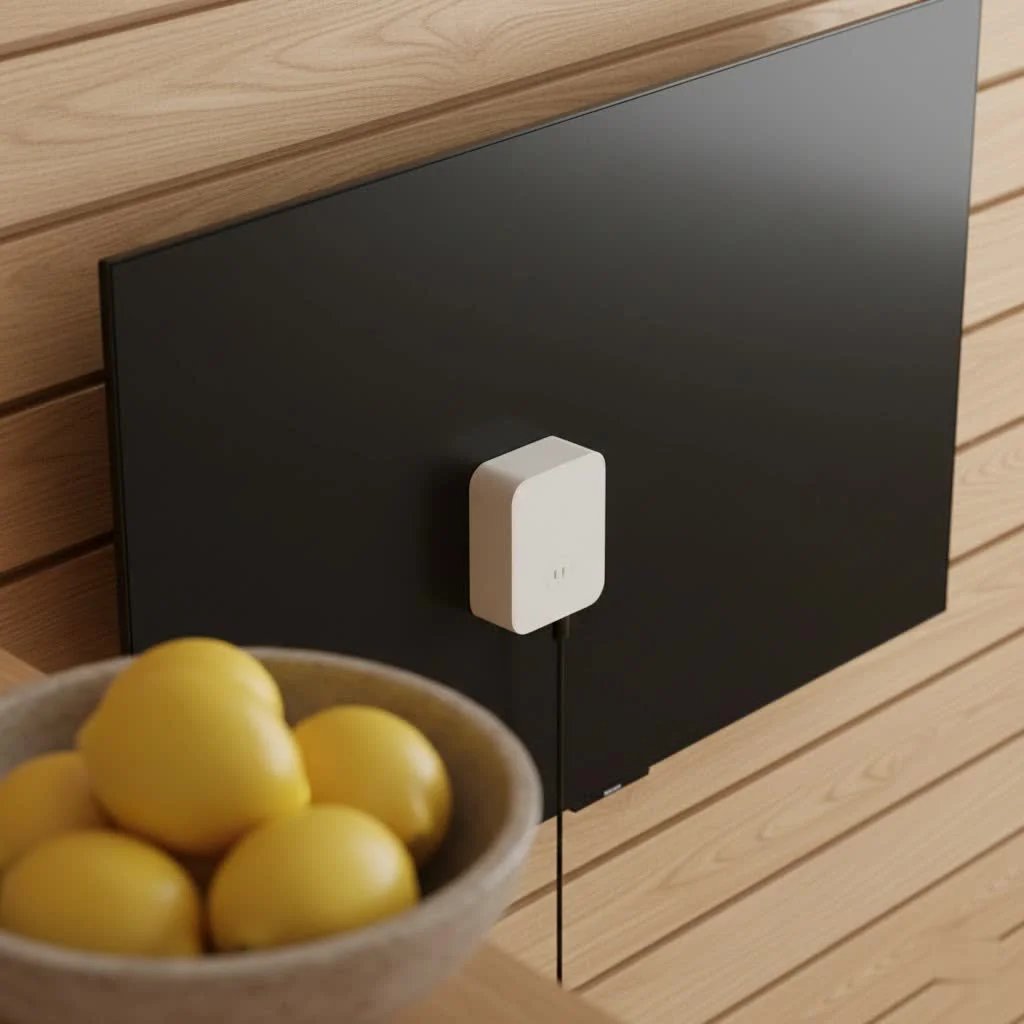
The classic 5W USB-A charger, a small white square, typically came with older iPhones. USB-A is the older, rectangular port type, suitable for many older devices and basic charging, but generally slower and less versatile than its successor.
Apple has progressively shifted towards USB-C, a newer, reversible connector offering higher power delivery, faster charging speeds, and broader compatibility across a range of devices. The iPhone 15 series now features a USB-C port, reflecting Apple’s commitment to faster charging, environmental goals, and universal compatibility. Consequently, USB-C power adapters are becoming the standard for modern Apple devices, including iPhones, iPads, and MacBooks.
Wattage Explained: What Power Do You Need?
Wattage is crucial for charging speed and compatibility, indicating the power output of your charger. Matching it correctly to your device is vital for both efficiency and battery health.
- 5W USB-A Chargers: These classic chargers are suitable for older iPhone models (pre-iPhone 8), Apple Watch, and AirPods, offering standard charging speeds ideal for overnight charging.
- 12W USB-A Chargers: Commonly bundled with iPads, this adapter offers faster charging for iPhones and remains a versatile option for many devices that do not require the absolute fastest speeds.
- 20W USB-C Power Adapters: This is the most popular choice for iPhone users seeking fast charging. For an iPhone 8 or later, pairing this adapter with a USB-C to Lightning cable (or USB-C to USB-C for iPhone 15 models) delivers up to 50% battery in approximately 30 minutes.
- Higher Wattages (30W, 60W, 96W, 140W, 240W): Newer iPads, MacBook Air, and especially MacBook Pro models (ranging from 30W up to 240W) benefit from these higher wattage USB-C power adapters for optimal charging performance, particularly during intensive tasks like video editing.
GaN Technology: The Future of Compact Power
|
Our Picks for the Best Wall Charger in 2026
As an Amazon Associate I earn from qualifying purchases.
|
||
| Num | Product | Action |
|---|---|---|
| 1 | USB Wall Charger, LUOATIP 3-Pack 2.1A 5V Dual Port Cube Power Adapter Plug Block Charging Box Brick for iPhone 14 13 12 11 Pro Max SE XS XR X 8 7 6 6S Plus, Galaxy, LG, Moto, Android Phones |

|
| 2 | 2Pack USB C Fast Charger Block, 60W 5-Port USB C Wall Charger 30W Type C Charging Block, 2USB C+3USB A PPS/PD 3.0 Multiport Charging Cube for iPhone 17 16 15 14 Pro Max,for Galaxy S25 S24 Ultra, i Pad |
|
| 3 | LCGENS USB C Wall Charger Block 20W, 2-Pack Dual Port PD Power Delivery Fast Type C Charging Block Plug Compatible with iPhone 11/12/13/14/15/16/17 Pro Max, XS/XR/X, Ipad Pro, Samsung Galaxy |
|
| 4 | Anker Nano 47W USB C Charger, 2 Port Compact Foldable GaN Charger for iPhone 17 / 16, Galaxy, Pixel, Compatible with MagSafe (White) |
|
| 5 | USB C Wall Charger Block, 2Pack 60W 5-Port C Charger Fast Charging Block PD Power Adapter +QC 3.0 Multiport Type C Box Brick Cube USB A Wall Plug for iPhone 15/16/17 Pro Max Plus, iPad,Samsung Galaxy |
|
| 6 | iPhone Fast Charger 3+3Pack 20W USB C Wall Charger with 6FT Fast Charging Cable Compatible with iPhone 14/13/12/11/Pro/Pro Max |
|
| 7 | 128W USB C Wall Charger,GaN III 3-Port Fast Charging Station,PD QC Foldable Charger Block Portable 65W Laptop Adapter for MacBook Pro/Air,iPad Pro,Galaxy S23,Dell XPS 13,iPhone 17/16/Pro etc |
|
| 8 | 2 Pack USB C Charger Block, Dual Port Type C Wall Charger Fast Charging 20W Power Adapter Cube for iPhone 14/14 Pro/14 Pro Max/14 Plus/13/12/11, XS/XR/X, iPad, Samsung, More |
|
| 9 | Surge Protector Outlet Extender - with Rotating Plug, 6 AC Multi Plug Outlet with 4 USB Ports (2 USB C), 1800J Wall Charger, 3-Sided Power Strip with Spaced Outlet Splitter for Home, Office, Travel |
|
| 10 | JcBlaon Outlet Extender Surge Protector - 6 Outlet Splitter with 4 USB Ports (2 USB C), Multiple Plug Expander Wall Charger, 3 Sided Multi Plug Wall Adapter Power Strip for Home Office Kitchen Travel |
|
Gallium Nitride (GaN) technology is revolutionizing the charger market, producing smaller, lighter, and more efficient chargers than traditional silicon-based ones. This allows for higher wattage in a more compact form factor, ideal for travel or decluttering workspaces. While Apple’s own branded chargers do not widely advertise GaN, many reputable third-party manufacturers incorporate this technology into their USB-C power adapters, offering powerful and portable alternatives for your Apple ecosystem.
Fast Charging Your Apple Devices: Speed and Compatibility
Fast charging significantly reduces device downtime. It works by utilizing the USB Power Delivery (USB-PD) standard, which allows devices to negotiate higher power levels.
What is Apple Fast Charging?
For compatible iPhone models, fast charging enables powering up your device from 0% to approximately 50% battery in just 30 minutes. This feature is particularly useful for quick power boosts during busy days.
Requirements for Fast Charging
To enable fast charging for your Apple device, you need specific components:
- A Compatible iPhone: Fast charging is available for iPhone 8 and later models.
- The Right Cable:
- For most iPhones (iPhone 8 through iPhone 14 series), an Apple USB-C to Lightning cable is required.
- For the iPhone 15 series, which uses USB-C, a USB-C to USB-C cable is necessary.
- A Compatible USB-C Power Adapter: An 18W or higher USB-C power adapter that supports USB Power Delivery (USB-PD) is needed. Apple’s 20W USB-C Power Adapter is a common choice, but many third-party USB-C power adapters with the correct wattage and PD support also work.
Device-Specific Charging Recommendations
Matching your charger to your specific Apple device ensures optimal performance and safety.
- iPhones:
- iPhone 8 and later: For fast charging, use a 20W USB-C Power Adapter with a USB-C to Lightning cable.
- iPhone 15 series: A 30W USB-C Power Adapter with a USB-C to USB-C cable is recommended for optimal performance.
- Older iPhones (pre-iPhone 8): The 5W or 12W USB-A adapters are perfectly fine.
- iPads:
- Older iPads: The 12W USB-A Power Adapter works well.
- Newer iPads (with USB-C ports): These can benefit significantly from USB-C power adapters ranging from 20W up to 30W or higher, depending on the model, for faster charging.
- MacBooks: These power-hungry machines require specific wattages, typically ranging from 30W for a MacBook Air to 140W or even 240W for high-end MacBook Pro models, especially during intensive tasks. Always check your MacBook’s specifications for the recommended charger wattage.
- Apple Watch & AirPods: These devices have lower power requirements. A standard 5W or 12W adapter will typically suffice.
Choosing the Right Apple USB Wall Charger
Selecting the perfect Apple USB wall charger involves a few key considerations.
Identify Your Device’s Needs
The first step is always to understand what your device requires. For example, an iPhone 15 needs USB-C to USB-C, while an iPhone 12 requires USB-C to Lightning. A MacBook Pro’s specific wattage requirement must also be checked. Prioritize the recommended wattage for fast charging if your device supports it, but note that using a higher wattage charger than your device requires is generally safe, as the device will only draw the power it needs.
Prioritize Safety: Genuine vs. Third-Party
Safety is paramount when charging. Using genuine Apple accessories or reputable, MFi (Made for iPhone/iPad/iPod) certified third-party alternatives is crucial. Counterfeit or uncertified chargers and cables can pose serious risks, including:
- Damage to your device: Incorrect voltage or current can harm your device’s internal components and battery.
- Overheating and fire hazards: Poorly constructed chargers can overheat, potentially leading to fires or electrical shocks.
- Slow or inconsistent charging: You might not get the performance you expect, or charging could be unreliable.
“Always verify the authenticity or certification of your charging accessories,” advises Dr. Eleanor Vance, a leading electrical engineer specializing in portable power systems. “The peace of mind that comes with knowing your device is safely charging is invaluable.” Look for the MFi logo on third-party packaging, and if in doubt, stick with Apple-branded chargers.
Consider Future-Proofing: Investing in USB-C
With Apple’s full embrace of USB-C across its product lineup, investing in USB-C power adapters now is a smart move. They offer faster charging, are compatible with a broader range of modern devices, and will serve you well for years to come. Even if your current iPhone uses Lightning, a USB-C power adapter combined with a USB-C to Lightning cable positions you for future upgrades.
Portability vs. Power: Balancing Size and Wattage
Consider your lifestyle. For travel, a super-compact 20W GaN charger might be perfect for fast charging an iPhone. For a desk setup, a powerful multi-port charger can handle a MacBook, iPad, and iPhone simultaneously. There is an Apple USB wall charger solution for every need.
Maximizing Your Charger’s Lifespan and Device Battery Health
Proper usage and maintenance of your Apple USB wall charger can extend its life and contribute to the long-term health of your device’s battery.
Best Practices for Using Your Charger
- Proper Connection: Always ensure your power adapter is fully plugged into the wall outlet and your charging cable is securely connected to both the adapter and your device. Loose connections can lead to intermittent charging or even overheating.
- Avoid Extreme Conditions: Chargers, like devices, should be used in a well-ventilated area, avoiding extreme heat, cold, humidity, direct sunlight, or damp environments.
- Unplug When Not in Use: While modern chargers stop drawing power when not connected to a device, it is good practice to unplug them from the wall when not actively charging to conserve energy and prevent potential electrical issues.
- Use Original or Certified Cables: The cable is as important as the charger; a cheap, uncertified cable can negate the benefits of a good charger and pose safety risks.
Troubleshooting Common Charging Issues
Encountering a charging problem can be frustrating. Here are some quick troubleshooting tips:
- Device Not Charging:
- Check all connections to ensure everything is firmly plugged in.
- Try a different wall outlet, as the issue might be with the power source.
- Test with a different cable, as cables are often the first point of failure.
- Test with a different power adapter to isolate if the charger itself is the problem.
- Restart your device, as a simple reboot can sometimes resolve software glitches affecting charging.
- Slow Charging:
- Ensure your device and charger/cable combination are fast-charge compatible.
- Close unnecessary background applications on your device, as these can consume significant power.
- Check for dirt or debris in your device’s charging port.
Frequently Asked Questions about Apple USB Wall Chargers
Q: Can I use an iPad charger for my iPhone?
A: Yes, you can generally use an iPad charger, such as a 12W USB-A or higher wattage USB-C adapter, to safely charge your iPhone. Your iPhone’s internal circuitry will only draw the specific amount of power it needs, regardless of the charger’s maximum output.
Q: Is it safe to use a higher wattage charger than my device needs?
A: Yes, it is safe to use a higher wattage charger. Apple devices are designed with internal charging circuitry that regulates the power received, ensuring the device only draws the maximum wattage it can handle, preventing damage.
Q: How can I tell if my Apple charger is genuine?
A: Genuine Apple chargers typically feature clear, legible text stating “Designed by Apple in California” along with specific model and serial numbers. The prongs should feel sturdy, and the overall build quality should be high; be cautious of unusually low prices or sellers without official certifications.
Q: Why did Apple stop including chargers with iPhones?
A: Apple ceased including power adapters with iPhones (starting with the iPhone 12 series) primarily due to environmental goals, aiming to reduce electronic waste and carbon emissions. The company assumes many users already possess compatible chargers.
Q: What’s the difference between USB-A and USB-C chargers?
A: USB-A is an older, rectangular port type that offers slower charging speeds and limited power delivery. USB-C is a newer, reversible port that supports significantly higher power delivery (USB-PD) and faster charging speeds, making it the current standard for modern electronic devices.
Q: How do I fast charge my iPhone?
A: To fast charge an iPhone 8 or later model, you need a compatible Apple USB-C to Lightning cable (or a USB-C to USB-C cable for iPhone 15 models) and an 18W or higher USB-C power adapter that supports USB Power Delivery.
Conclusion
Navigating the world of Apple USB wall chargers might seem complex at first, but with the right knowledge, it becomes a straightforward path to efficient and safe power. From understanding the difference between USB-A and USB-C to knowing your wattage needs and prioritizing safety, you’re now equipped to make the best choices for all your Apple devices. An informed decision not only ensures optimal charging speeds but also protects your valuable gadgets and extends their lifespan. So go ahead, choose wisely, and keep your Apple ecosystem powered up and ready for anything. We at SYFCA.com are always here to help you stay connected, safely and smartly.
Get our weekly buyer guide
Practical specs, not advice. Unsubscribe anytime.
I got a new charger that was supposed to be MFi certified, but I’m still getting the ‘accessory not supported’ message sometimes with my older iPhone SE. It charges, but it’s a bit inconsistent. Maybe it’s just my phone, but I expected it to work flawlessly.
I appreciate the breakdown of USB-A vs. USB-C. I was still using an older 5W USB-A charger for my iPad, and it was taking forever. Switched to a USB-C adapter and it’s much better. Wish I’d made the change sooner, but glad to understand why now.
Understanding wattage is crucial, and this really helped clarify things. I always just grabbed whatever charger was handy, but now I see why my MacBook Pro needs a higher wattage adapter than my iPhone. My devices are charging much more efficiently now.
I finally upgraded to a 20W USB-C Power Adapter for my iPhone 13, and the difference is incredible. Getting 50% battery in about 30 minutes is a game-changer, especially when I’m in a rush. It’s definitely worth investing in the right wattage for faster charging.